
When someone searches “locksmith near me” or “house cleaning service,” they usually don’t scroll far. They look at the map, compare a few businesses, and call one. If your business isn’t in that short list, you don’t get the chance to win the job.
That’s what local SEO for small business is about. This guide walks through how Google ranks local businesses, a step-by-step Google Business Profile optimization checklist, what your website needs, and a few examples for specific service niches like notaries, locksmiths, cleaners and permanent makeup artists.
Want it done for you? Our local SEO and Google Business Profile service handles your profile, your local pages and the ongoing work that helps you show up in Google Maps.
What Is Local SEO?
Local SEO is the work of making your business show up when people nearby search for the services you offer, on Google Maps, in the map results on Google Search, and in regular search results. For most service businesses, it centers on your Google Business Profile, your website and your reviews.
The map results vs. regular search results
A local search usually shows two kinds of results. The map results (often called the local pack) show a handful of businesses with a map, star ratings and a call button. Below them are the regular organic results, which are mostly websites. Your Google Business Profile drives the map results. Your website drives the organic results and supports your profile. Good local SEO works on both.
How Does Google Rank Local Businesses?
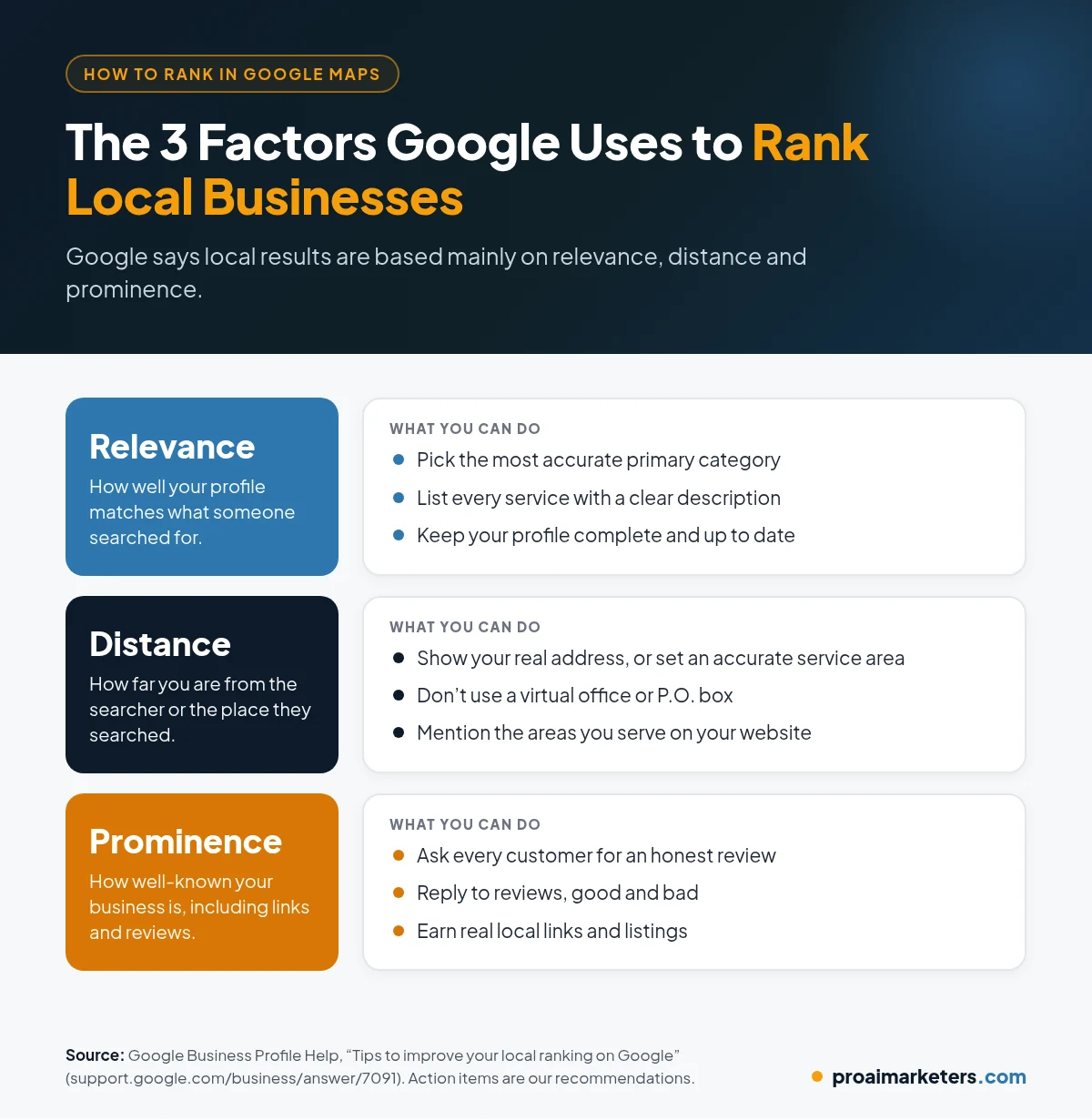
Google says local results are based mainly on three factors: relevance, distance and prominence (Google Business Profile Help).
- Relevance is how well your profile matches what someone searched for. Complete, detailed information helps Google understand what you do.
- Distance is how far your business is from the searcher, or from the location they searched. You can’t change this one, which is why being accurate about where you are and where you serve matters.
- Prominence is how well-known your business is. Google says this is based on information like how many websites link to you and how many reviews you have, and that more reviews and positive ratings can help your local ranking.
Google Business Profile Optimization: A Step-by-Step Checklist
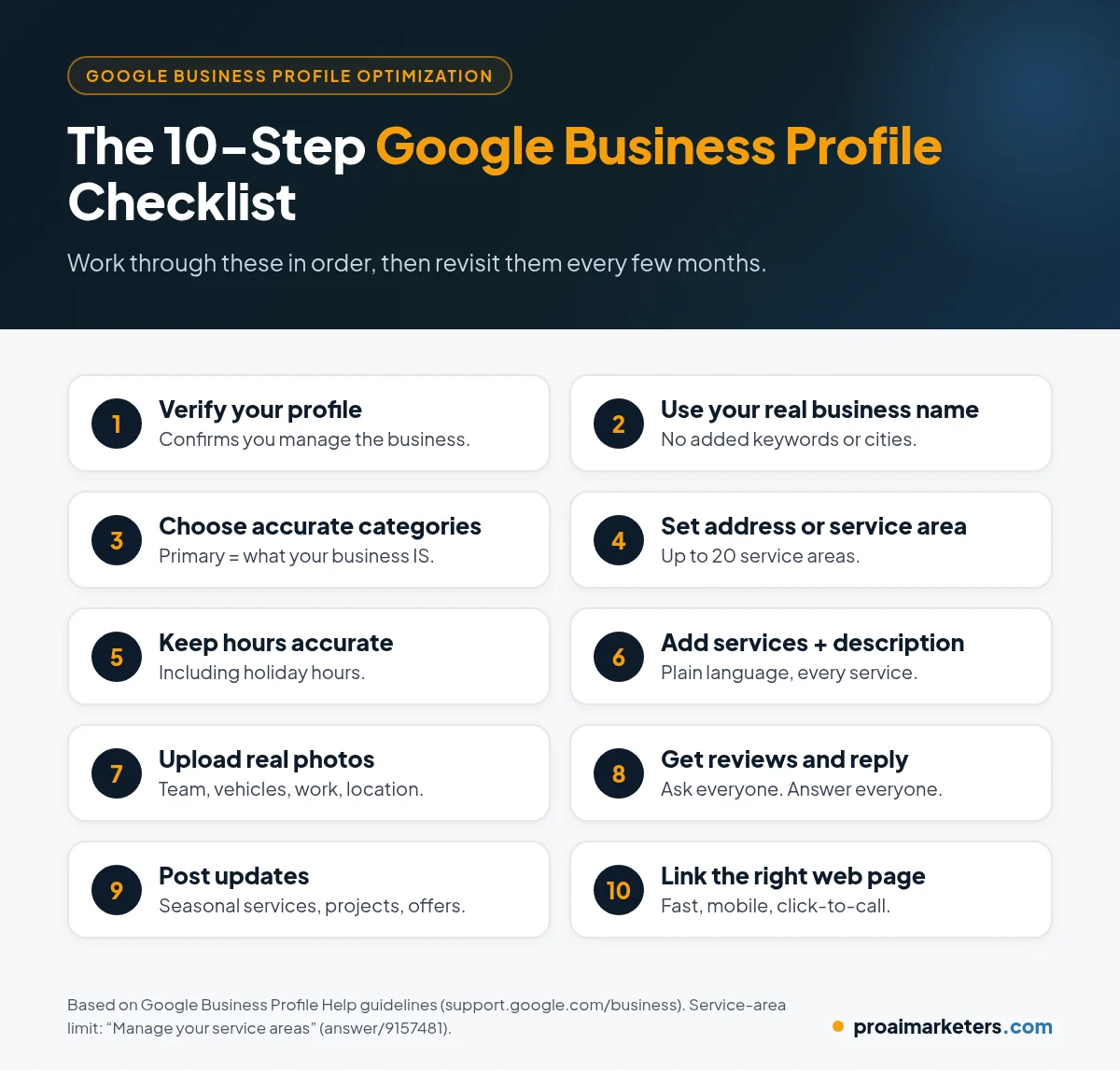
Your Google Business Profile is the single most important piece of local SEO for most service businesses. Work through these steps in order.
1. Claim and verify your profile
Verification tells Google you’re authorized to manage the business, and Google says verified businesses are more likely to show up in search results. You also need to be verified to reply to reviews.
2. Use your real business name
Your name should match what’s on your signage, website and paperwork. Google’s guidelines say your name should reflect your real-world business name (Google: Guidelines for representing your business). Adding keywords or city names that aren’t part of your actual name goes against those guidelines, and Google says guideline problems can lead to changes to your information or even removal of your profile.
3. Choose the right categories
Your primary category tells Google what your business is. Google suggests choosing categories that complete the sentence “This business IS a” rather than “this business HAS a,” and using as few as it takes to describe your core business. Google’s best practices playbook notes you can add up to 10 categories in total: one primary and nine secondary (Google GBP Best Practices Playbook).
4. Set your address or service area correctly
If customers come to you, show your address. If you go to customers and don’t serve people at your address, remove the address and set a service area instead. Google allows up to 20 service areas, and says your overall area shouldn’t extend more than about two hours of driving time from where your business is based (Google: Manage your service areas). Hybrid businesses can show both.
5. Keep hours accurate, including holidays
Set your regular hours and update special hours for holidays and closures. Wrong hours lead to frustrated customers and bad reviews.
6. Add your services and a clear description
List each service you offer with a short, plain description. Write a business description that explains what you do, who you serve and what makes you different, in normal language.
7. Upload real photos
Add photos of your team, your vehicles, your work and your location if you have one. Google says photos should represent reality, without heavy filters or alterations (Google: Tips for business-specific photos).
8. Build a steady flow of reviews and reply to them
Ask every customer for an honest review, make it easy with your review link, and reply to every review. Our AI reputation management service automates this.
9. Post updates
Google encourages businesses to share updates, offers and events through posts. A short update about a seasonal service or a recent project keeps your profile fresh.
10. Link to the right page on your website
Point your profile’s website link to your homepage or to the page that best matches your main service. Make sure that page loads fast and has a click-to-call button.
What Does Your Website Need for Local SEO?
Your website backs up everything your profile says.
- One page per main service. A clear “Drain Cleaning” page is easier for Google and customers to understand than one page listing everything.
- Say where you work. Mention your service area naturally on your service and contact pages.
- Consistent name, address and phone number on every page, matching your profile.
- Local business structured data to help search engines read your business details (Google Search Central: Local business structured data).
- Fast, mobile-friendly pages with a visible phone number and booking button.
If your site needs a rebuild, you can see examples of our work in our website portfolio.
Do Citations and Links Still Matter?
Yes. Listings on directories, industry associations and local organizations help confirm your business details and can send referrals. Keep your name, address and phone number the same everywhere. Links from real local sources, such as a supplier, a sponsorship or a trade association, also support prominence. Skip paid link schemes.
How Do You Rank in Google Maps? The Short Version
If you only have an hour a week for local SEO, prioritize these:
- Make your profile complete and accurate, with the right primary category.
- Ask every customer for a review and reply to every review.
- Keep your service area and hours accurate.
- Build a clear website page for each main service.
- Add photos and post updates regularly.
Local SEO takes time. Paid options such as Local Services Ads or Google Ads can bring in calls while your rankings build. Our paid advertising team can help there.
Local SEO Examples for Niche Service Businesses
The basics are the same for everyone, but each niche has its own details.
Local SEO for notaries
Most mobile notaries are service-area businesses, so they should remove their home address and set service areas instead. List each service separately, such as general notary work, loan signings and mobile visits. Be clear about when you’re available, and add a booking link so customers can schedule without calling.
Locksmiths
Locksmith searches are often urgent, so accurate hours and a phone number that’s actually answered matter a lot. Only list 24/7 hours if you truly offer them. If you plan to advertise, Google requires Advanced Verification for locksmith services in the U.S. and Canada for Google Ads and Local Services (Google Advertising Policies Help).
Cleaning businesses
Separate services by type, such as recurring cleaning, deep cleaning, move-out cleaning and rental turnovers. Before-and-after photos of real jobs (with the client’s permission) make your profile stand out. If you clean short-term rentals, see our short-term and vacation rental marketing services.
Permanent makeup (PMU) artists
PMU studios are usually storefront businesses, so show your address. Photos of healed results matter more than fresh ones. List each treatment as a service, mention licensing where your state requires it, and connect a booking link.
What Local SEO Mistakes Should You Avoid?
- Adding keywords or city names to your business name
- Using a virtual office or P.O. box as your address
- Creating more than one profile for the same business
- Buying reviews or offering incentives for them
- Listing hours you don’t actually keep
- Letting your name, address or phone number drift between sites
How Do You Track Local SEO Results?
Watch the trend in your own numbers each month: calls, website clicks and direction requests from your Google Business Profile performance report, plus clicks from Google Search Console for your website. Then check the most important number of all: how many of those calls and clicks turned into booked jobs. If calls come in while you’re busy, missed call text back keeps those new leads from slipping away.
Related guides: AI reputation management and AI receptionist lead qualification.
Frequently Asked Questions
What is local SEO for small business?
Local SEO for small business is the work of making your business show up when nearby customers search for your services on Google Maps and Google Search, mainly through your Google Business Profile, your website and your reviews.
How do I rank higher in Google Maps?
Complete your Google Business Profile with accurate details and the right primary category, set your service area or address correctly, earn steady reviews and reply to them, and build clear website pages for your main services.
How long does local SEO take to work?
It varies by competition, location and how much work your profile and website need. Fixing profile basics can help fairly quickly, while reviews, content and links build results over months.
Should a service-area business show its address on Google?
No, if you don’t serve customers at your address. Google says service-area businesses should remove their address and set a service area instead. Hybrid businesses that also serve customers on site can show both.
Can I put keywords in my Google Business Profile name?
No. Google’s guidelines say your profile name should match your real-world business name. Adding extra keywords or locations goes against those guidelines and can lead to your profile being changed or removed.
Get Found by the Customers Already Searching for You
People in your area are searching for what you do every day. Local SEO makes sure they find you, trust you and call you.
At Pro AI Marketers, we help local service businesses across the U.S. optimize their Google Business Profiles, build local service pages and keep reviews coming in. See all of our services.
Book a free strategy call. We’ll review your Google Business Profile and show you the quickest wins.